Migo: Sell Gift Card
Business
Open
Home
About Us
Apple
Steam
Google Play
Razer Gold
Amazon
Xbox
Nordstrom
Vanilla
Nike
Target
Macy
GameStop
FootLocker
Amex
WalmartMoney Card
Coach
DollarGeneral
NetSpend
LOWE
PlayStation
Roblox
MoneyPak
Best Buy
Sephora
Paysafe card
go2bank
one4all
Sell Gift Cards
Contact Us
Our Privacy Policy
Blog
Rates
Download
Help
Sign in
Get Started
How To Withdraw Your Money
HOW TO DO IT:
Sign in to your Migo account on the mobile app or web app.
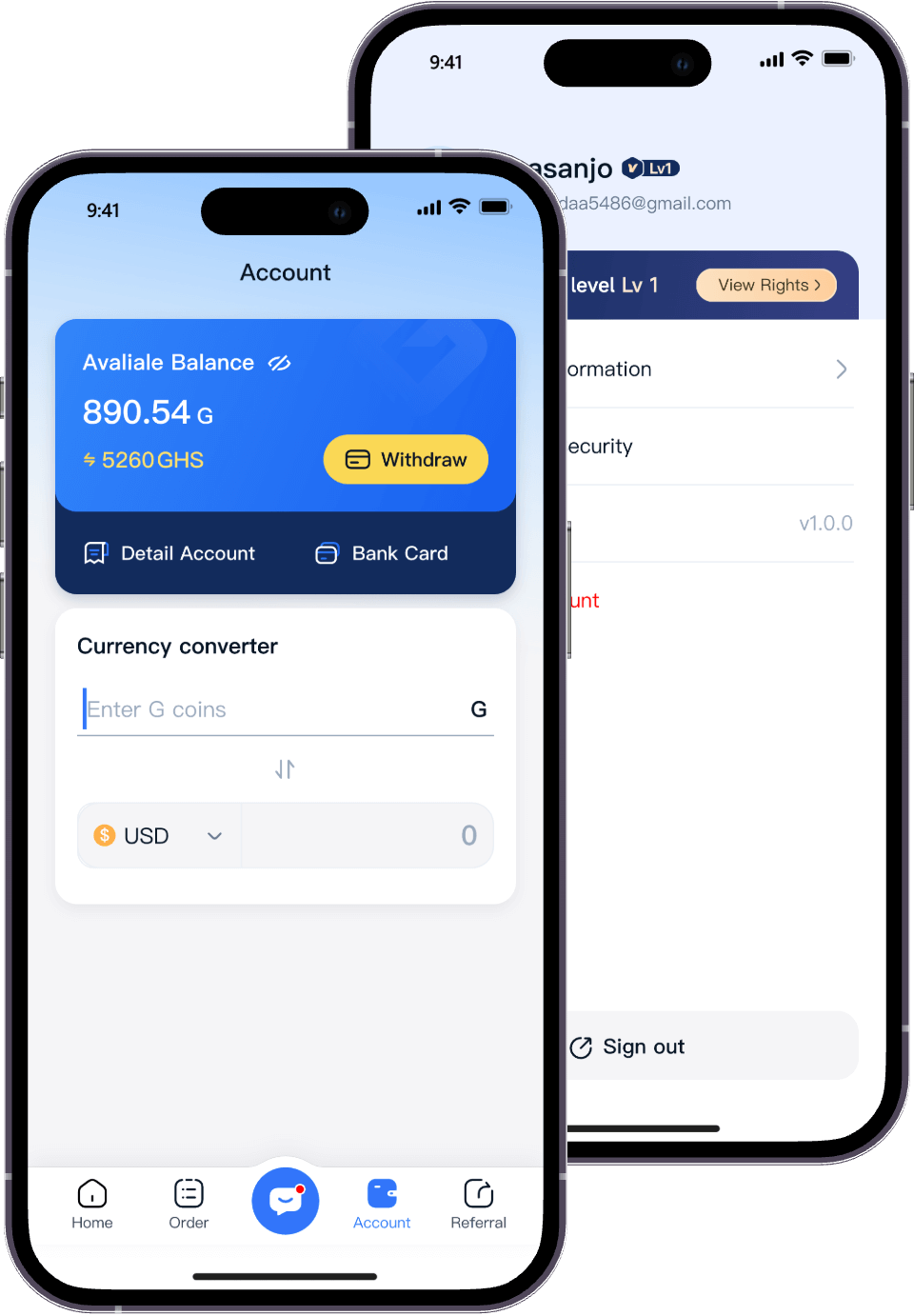
Click the "Account" button in the main menu, or click the wallet icon at the bottom of the screen and select "Withdraw".
Please enter the amount you wish to withdraw from your Migo wallet.
Select the bank account number from your profile where you wish to withdraw funds.
Enter your Transaction Pin and voila, you should receive your funds in minutes.
Start Trading to Earn Rewards
Download the Migo app to sell your gift cards
Get the app now:
Google Play
App Store
How To Withdraw Your Money | Help Center | Migo